

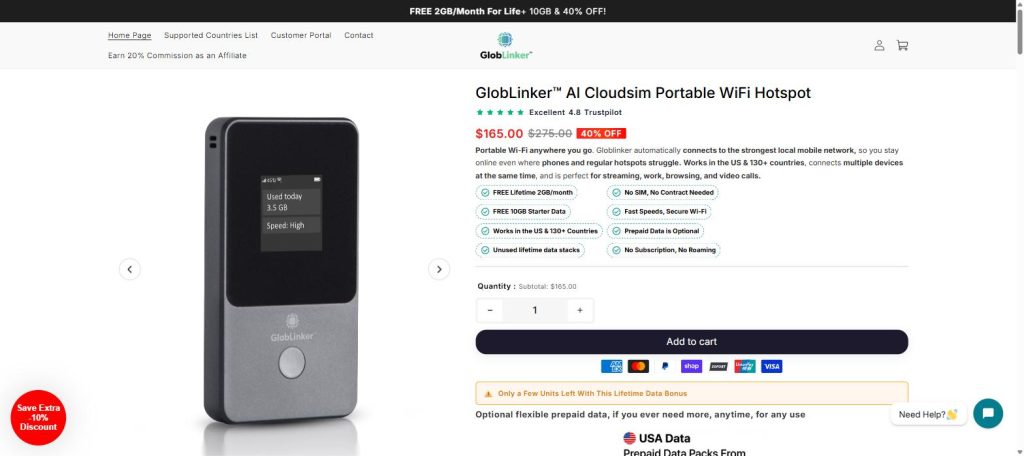
Meta description: Thinking about the GlobLinker hotspot? Here’s an honest breakdown of pricing, coverage, setup, and total cost before you decide if it’s worth buying.
Introduction: Do You Actually Need a Dedicated Hotspot?
Between hotel Wi-Fi that drops mid-call and phone carriers charging premium rates for international roaming, a lot of travelers and remote workers start looking for a standalone solution. The GlobLinker hotspot is one of the devices marketed as a fix: a pocket-sized hotspot that uses “CloudSIM” technology to pick a strong local network automatically, with no physical SIM card to swap. This guide looks past the marketing page and breaks down what you’re actually paying for, where the value holds up, and where you should think twice.
Quick Verdict
Best for: Frequent travelers, remote workers, and RV/road-trip users who need backup internet in multiple countries.
Rating: 8/10
Should you buy it? If you travel more than a few times a year across different countries, the math tends to work in your favor. If you mostly stay in one country with decent phone coverage, an eSIM plan may be cheaper.
How the GlobLinker CloudSIM Technology Works
Instead of locking you to one carrier via a physical SIM, the GlobLinker hotspot connects to a network of local carrier partners in each country and automatically switches to whichever signal is strongest at your location. In practice this means less manual setup than older pocket Wi-Fi devices, since there’s no SIM card to insert, activate, or swap out when you cross a border.
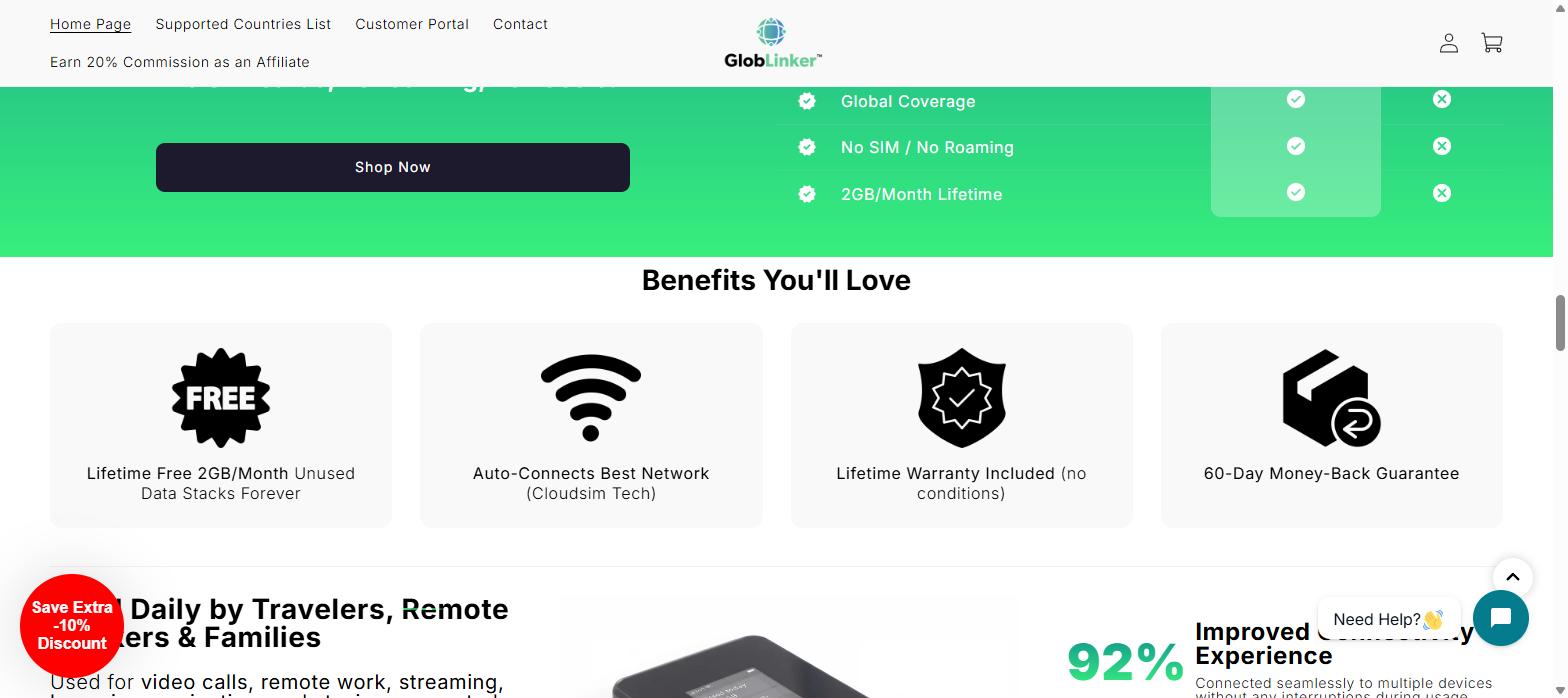
The tradeoff with any auto-switching system is that you don’t get to pick your carrier directly, so performance can vary by region depending on which local network the device connects to. On paper, the company advertises coverage across the US and 130+ countries, auto network switching, and no roaming fees.
Setup and Daily Use: What to Actually Expect
Setup is straightforward: charge the device, power it on, and connect your phone or laptop to its Wi-Fi network like you would with any router. The GlobLinker hotspot supports up to 8 connected devices at once, which is enough for a couple of phones, a laptop, and a tablet running at the same time.
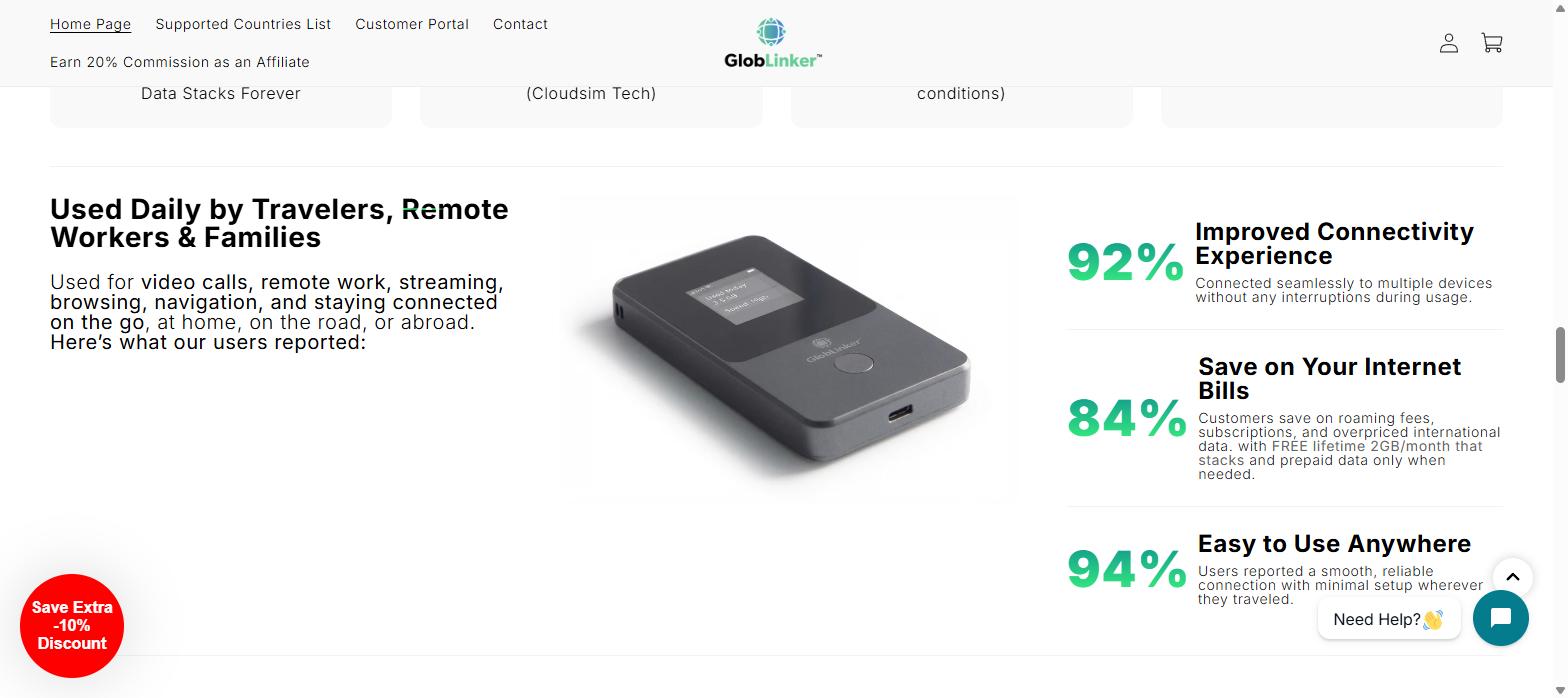
Based on the company’s own published usage data, the experience seems most consistent for people doing everyday tasks. video calls, browsing, email, and navigation, rather than heavy uploads or 4K streaming across every connected device simultaneously. That lines up with what you’d expect from a shared mobile hotspot rather than a fixed broadband line.
Coverage and Data Plans: What You’re Really Paying For
The GlobLinker hotspot itself is a one-time purchase, and it includes a free 2GB per month for life, with unused data stacking rather than expiring. Once you go beyond that free allowance, you buy prepaid data packs, and the per-GB price drops the more you buy at once.
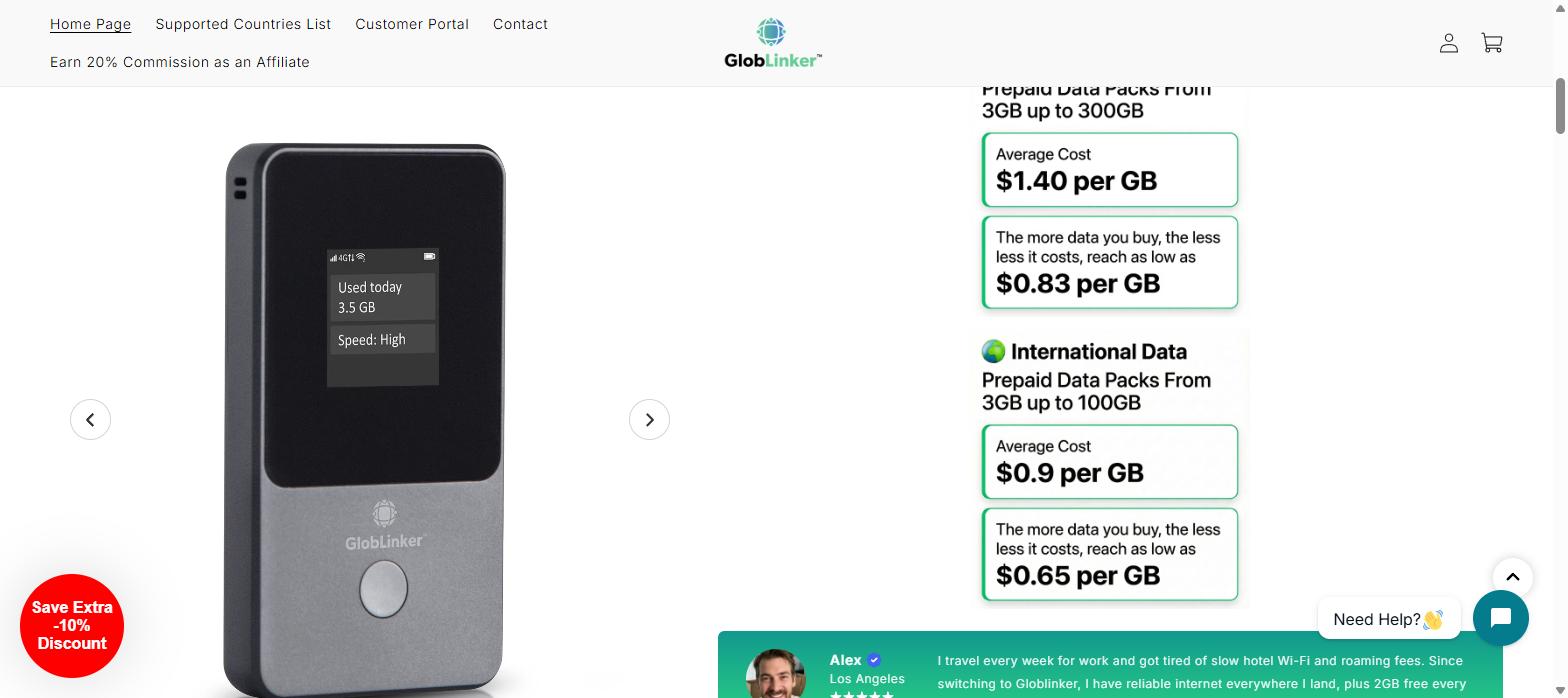
| Data Pack Type | Range | Average Cost | Lowest Cost per GB |
|---|---|---|---|
| US Data | 3GB – 300GB | $1.40/GB | $0.83/GB |
| International Data | 3GB – 100GB | $0.90/GB | $0.65/GB |
That pricing structure rewards heavier users who buy larger packs in advance, and it’s worth checking the current GlobLinker plans page before you buy, since promotional pricing changes.
Total Cost of Ownership: GlobLinker Hotspot vs Phone Roaming
The device is currently listed at $165 (discounted from a $275 list price), backed by a 60-day money-back guarantee and a lifetime warranty. To know if that’s a good deal, compare it against what you’d normally pay for international roaming or local SIMs.
- A single day of carrier roaming can run $10–$15 per day on many US plans, so a two-week trip alone can already exceed the device’s up-front cost.
- Buying a physical local SIM in every new country adds friction, plus the recurring cost of a new SIM and top-up each time.
- GlobLinker’s free 2GB/month for life reduces (but doesn’t eliminate) ongoing data costs, especially for light users who mostly rely on Wi-Fi at hotels or offices.
For someone who travels internationally three or more times a year, the device tends to pay for itself quickly. For a single one-off trip, a short-term eSIM plan might be cheaper overall.
Who Should Buy the GlobLinker Hotspot (and Who Should Skip It)
Good fit if you:
- Travel internationally multiple times per year and want one device instead of juggling local SIMs
- Work remotely from RVs, co-working spaces, or while commuting and need a reliable backup connection
- Want to avoid carrier roaming fees on a family or group trip where several devices need internet
Think twice if you:
- Rarely leave your home country and already have solid phone coverage
- Only need data for a single short trip, where a prepaid eSIM may be cheaper
- Need guaranteed high-bandwidth performance for large uploads or professional video work
GlobLinker Alternatives to Consider
Before committing, it’s worth weighing the GlobLinker hotspot against the other common options for staying connected abroad:
- Travel eSIMs – cheaper for a single short trip, but you’re buying a new plan each time and juggling multiple eSIM profiles if you visit several countries.
- Carrier international roaming add-ons – the most convenient (no new device or SIM), but usually the most expensive per GB over a full trip.
- Other pocket Wi-Fi / MiFi devices – some competitors require a physical SIM per region and don’t offer a free lifetime data allowance, which is where GlobLinker’s model tries to stand out.
Frequently Asked Questions
Does the GlobLinker hotspot work in coffee shops and coworking spaces?
Yes, since it creates its own Wi-Fi network, you can use it anywhere it has cellular signal, independent of the venue’s own internet.
Does it work for international business trips?
Yes, that’s the core use case, thanks to coverage across 130+ countries and automatic carrier switching.
What happens to unused free data each month?
According to GlobLinker, the free 2GB/month stacks rather than expiring, so occasional users can build up a data balance over time.
Is there a risk-free way to try it?
GlobLinker offers a 60-day money-back guarantee and a lifetime warranty on the device, which reduces the risk of trying it for your next trip.
How many devices can connect at once?
Up to 8 devices can connect to a single GlobLinker hotspot simultaneously.
Final Verdict
The GlobLinker hotspot isn’t magic. it’s still a shared mobile hotspot, and your speeds depend on local network conditions. But the combination of a one-time device cost, free lifetime data that stacks, and no physical SIM swapping makes it a reasonable option for people who travel often enough that carrier roaming fees add up fast. If that’s you, it’s worth a closer look.